Customer app and white label
Updated November 14, 2026
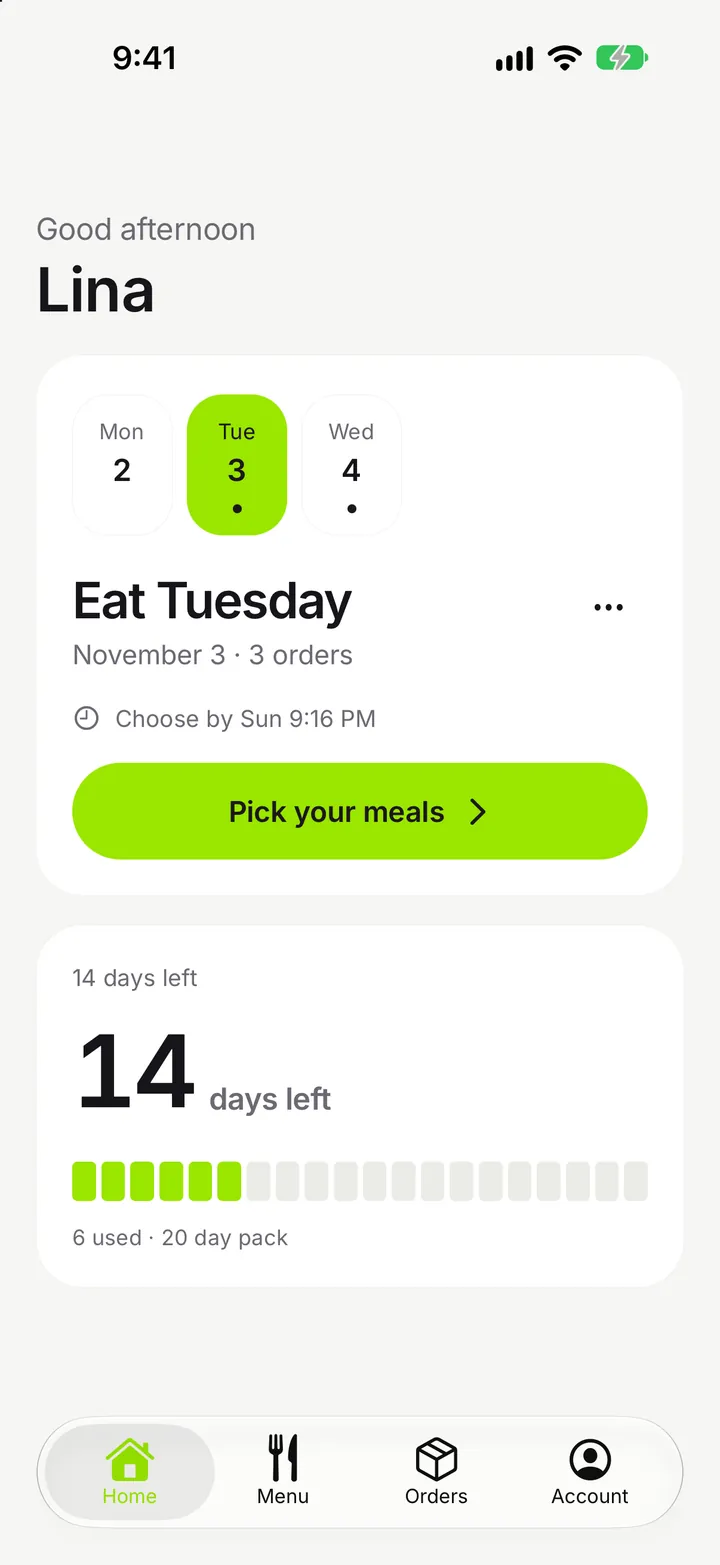
Your customers manage their meal pack in the Sahen app, which carries your kitchen's name, colours and logo. This guide explains how customers reach your kitchen in the app, what they can do in it, how branding works, the optional listing under your own name, and the web page you can use instead.
Your kitchen in the Sahen app
The Sahen app is on the App Store and Google Play; see pricing for the plans that include it. Your kitchen is in the app the day your branding is saved: there is no store review to wait for, you need no developer account, and customers who already have the Sahen app install nothing new.
Customers reach your kitchen in one of two ways:
- Your kitchen link. One link for iPhone and Android. Customers who have the app land in your kitchen. Customers who do not see a page with your logo beside the Sahen app and both store buttons.
- Your kitchen code. Customers type your kitchen code in the app. Suggestions appear from the third letter, so nobody types the whole code, and you can switch suggestions off.
From then on every screen carries your kitchen's name, colours and logo. Your Sahen contact sets the kitchen code for you.
Your own listing (add-on)
If you also want the app icon and the store listing under your own name, Sahen can publish the same app, locked to your kitchen, from your own Apple and Google developer accounts. It is one add-on for iOS and Android, with no setup fee, charged only once both listings are live; the price is on the pricing page.
What you need:
- Your own Apple developer account, 99 USD a year, paid to Apple. A personal account in the owner's name is the easiest route; an organisation account needs a D-U-N-S number first.
- Your own Google Play developer account, 25 USD once, paid to Google. A new personal Play account must first run a closed test with 12 testers for 14 days.
- Your listing material: app name, short description, logo and the support contact customers should use.
It takes from one week to several, depending on Apple's and Google's review. Your customers keep using your kitchen in the Sahen app meanwhile, and nobody is forced to move. Once both listings are live you can switch your kitchen link and QR code to your own apps. Changing the app's name or icon needs a new app version; turning screens on or off does not.
Signing in
Customers sign in with Continue with Google, or with their email and a one-time 6-digit code. No password is needed.
Customer accounts belong to one kitchen. The same email at two kitchens is two separate profiles that do not share packs, credits or addresses. See customers and support.
What the customer sees
- Home: days left in the pack, the next delivery, and a countdown to the next daily cutoff.
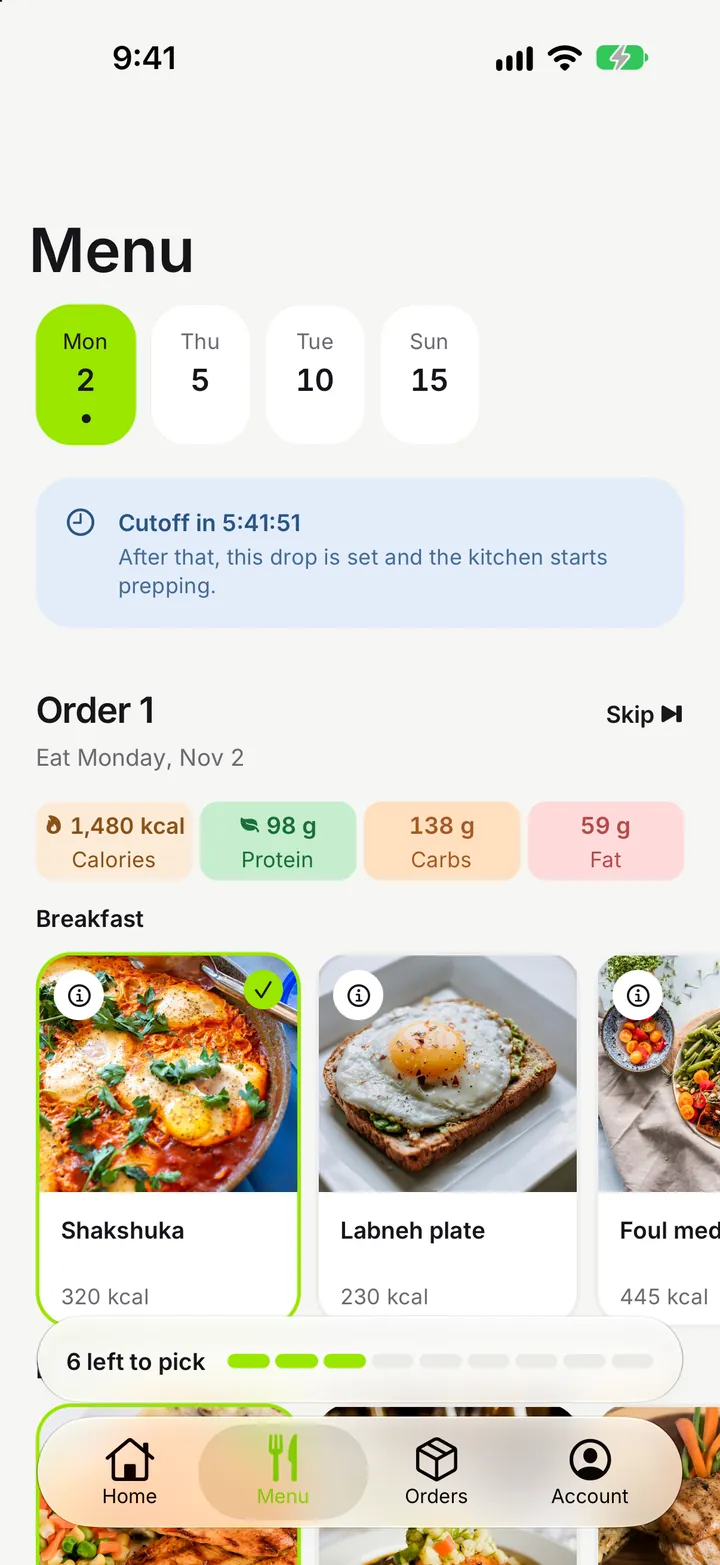
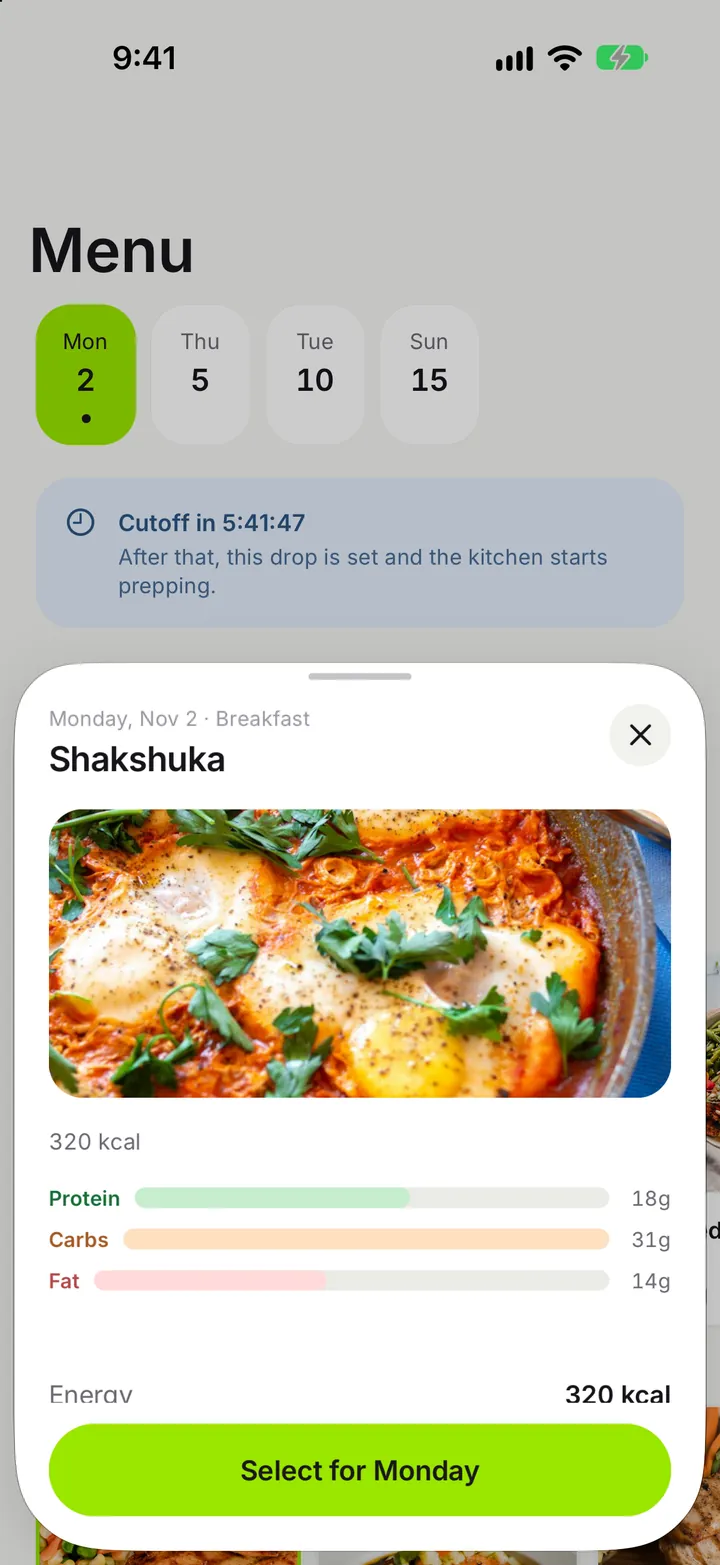
- Menu: meals to pick for each eating day, grouped by day inside a delivery. Only meals that fit the customer's program and package are shown.
- Skip and pause: skip whole eating days, or pause with a start and resume date.
- Pattern change: change eating days and delivery frequency for days after the next cutoff.
- Addresses: add and edit delivery addresses with a map pin.
- Order history: past deliveries.
- Payments: pay by the methods you offer, such as uploading transfer proof.
- Language: switch between Arabic and English. Arabic is shown right to left.
- Push notifications: delivery updates and payment messages, with your kitchen's name.
- Support: your kitchen's phone, email and WhatsApp contacts.
- Delete account: available from Account at any time once no pack is open.
The rules behind these screens are in skips, pauses and patterns and packages, programs and credits. Push notifications are optional: the app works fully if a customer declines them.
Branding
You control how your kitchen looks from your business settings:
| Setting | Where it shows |
|---|---|
| Kitchen name | App header, push notifications, emails |
| Signature colour | Buttons and highlights in the app, email headers |
| Logo | App, web page and emails |
Customer emails, such as pack confirmations, come with your kitchen's name and logo on your colour, with no Sahen product name in the subject.
The web subscription page
Customers who do not want to install an app can subscribe on your web page. It shows your branded landing, programs and packages with per-day prices, the current menu, and sign-up in the same order as the app: package, program, duration, eating days, delivery frequency, a live quote with promo code, address and checkout. Whether the web page is included depends on your plan; see pricing.
If the app is unavailable
A kitchen's own app can be switched off by Sahen staff, for example when a kitchen stops its service. Customers then see a neutral "currently unavailable" screen with your support contacts. This does not delete data or change credits, orders or deliveries.